Trace your LLM applications by pointing your client to Scorecard.
This quickstart shows how to trace your LLM applications with Scorecard. Change your baseURL to llm.scorecard.io - no SDKs, no dependency management, works with your existing code. Supports OpenAI, Anthropic, and streaming responses.
Using Vercel AI SDK? Check out our AI SDK Wrapper for automatic tracing with zero manual instrumentation.
Need more control? See the SDK wrappers section below for custom spans and deeper integration, or use OpenTelemetry directly.
export SCORECARD_API_KEY="ak_..."export OPENAI_API_KEY="sk_..." # or ANTHROPIC_API_KEY
2
Point your client to Scorecard
Change the baseURL to https://llm.scorecard.io. Everything else in your code stays the same - your LLM calls will be automatically traced.
# Works with OpenAI and Anthropic - see examples below for more patternsfrom openai import OpenAIclient = OpenAI( api_key=os.environ["OPENAI_API_KEY"], base_url="https://llm.scorecard.io", default_headers={ "x-scorecard-api-key": os.environ["SCORECARD_API_KEY"], "x-scorecard-project-id": "my-chatbot" # Optional: organize traces by project })# Use OpenAI normally - everything is automatically traced!response = client.chat.completions.create( model="gpt-4", messages=[{"role": "user", "content": "Hello!"}])
// Works with OpenAI and Anthropic - see examples below for more patternsimport OpenAI from 'openai';const client = new OpenAI({ apiKey: process.env.OPENAI_API_KEY, baseURL: 'https://llm.scorecard.io', defaultHeaders: { 'x-scorecard-api-key': process.env.SCORECARD_API_KEY, 'x-scorecard-project-id': 'my-chatbot' // Optional: organize traces by project }});// Use OpenAI normally - everything is automatically traced!const response = await client.chat.completions.create({ model: 'gpt-4', messages: [{ role: 'user', content: 'Hello!' }]});
3
View traces in Scorecard
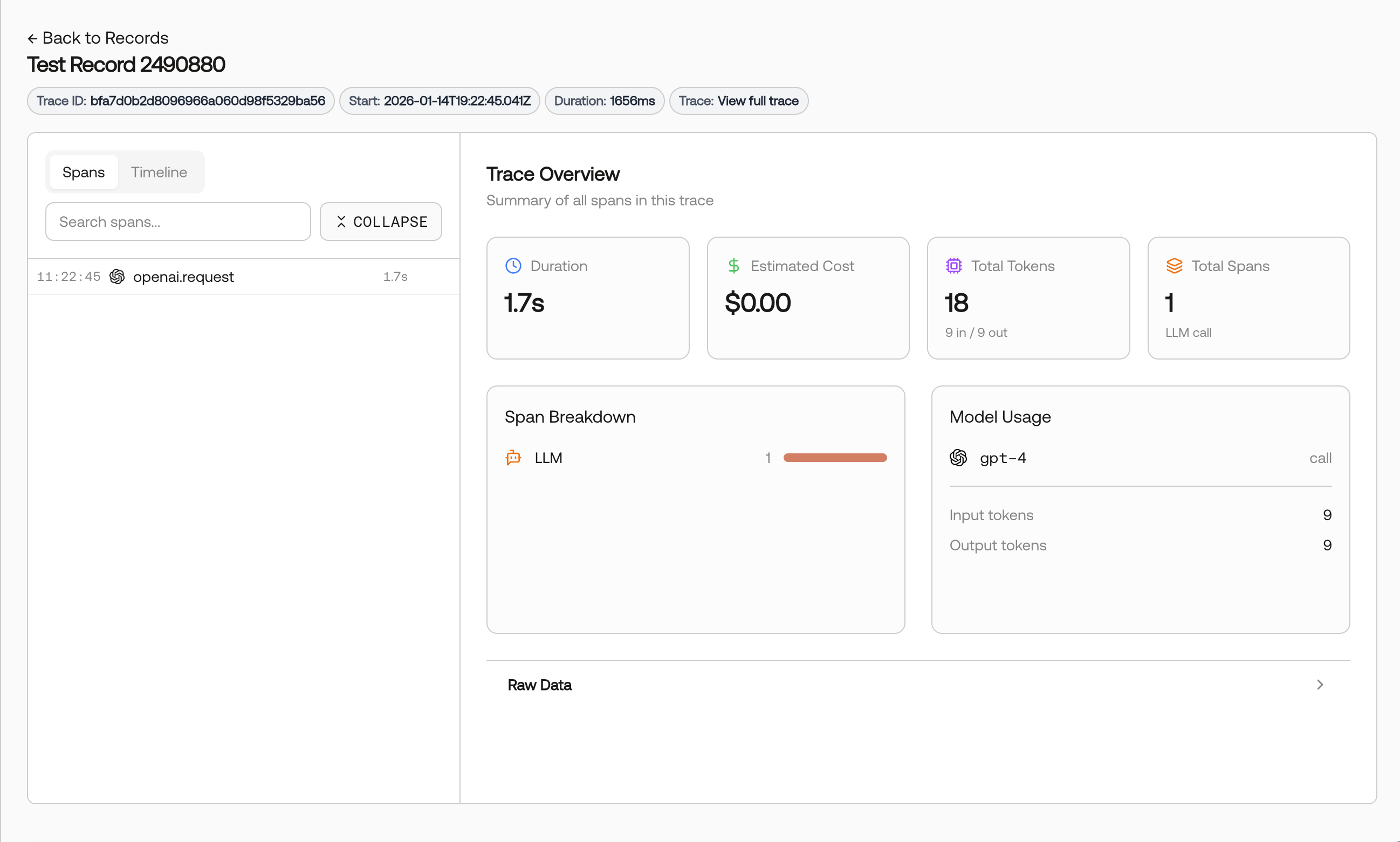
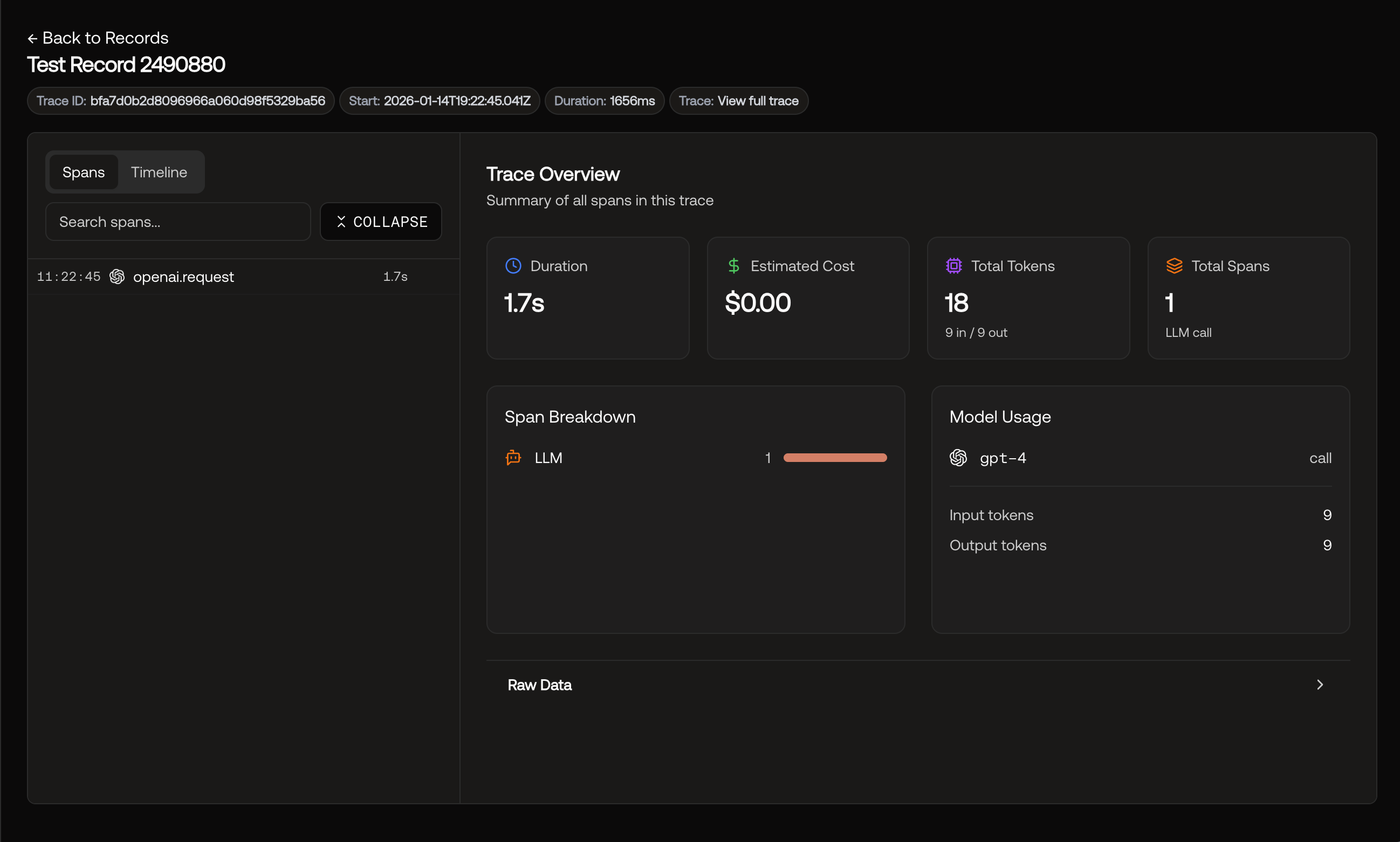
Run your application, then visit app.scorecard.io and navigate to Records.You’ll see full request/response data, token usage, latency, and errors for all your LLM calls. Streaming responses are captured too.
For more control than llm.scorecard.io, the Scorecard SDK wrappers provide automatic tracing with native OpenTelemetry integration. Wrap your OpenAI or Anthropic client once and all calls are automatically traced - including streaming responses.The real power comes from custom spans and nested traces. You can create parent spans for your workflows and business logic, and LLM calls will automatically nest as children. This gives you complete visibility into complex multi-step processes.
# Works with OpenAI and Anthropic - see examples below for more patternsfrom openai import OpenAIfrom scorecard_ai import wrap# Wrap your OpenAI clientopenai = wrap( OpenAI(api_key=os.environ["OPENAI_API_KEY"]), { "api_key": os.environ["SCORECARD_API_KEY"], "project_id": "my-chatbot" # Optional: organize traces by project })# Use normally - all calls are automatically tracedresponse = openai.chat.completions.create( model="gpt-4", messages=[{"role": "user", "content": "Hello!"}])
// Works with OpenAI and Anthropic - see examples below for more patternsimport { wrap } from 'scorecard-ai';import OpenAI from 'openai';// Wrap your OpenAI clientconst openai = wrap( new OpenAI({ apiKey: process.env.OPENAI_API_KEY }), { apiKey: process.env.SCORECARD_API_KEY, projectId: 'my-chatbot' // Optional: organize traces by project });// Use normally - all calls are automatically tracedconst response = await openai.chat.completions.create({ model: 'gpt-4', messages: [{ role: 'user', content: 'Hello!' }]});